


| Home | Games | Downloads | Ramblings | About |
jME-CircleShader - Basics
| Download: | |
| jME-CircleShader.zip: | Download |
Geometry geom = new Geometry("Circle", new Quad(480, 480));
Material mat = new Material(assetManager, "Common/MatDefs/Circle/Circle.j3md");
mat.setColor("Color", new ColorRGBA(1f, 1f, 1f, 1f));
geom.setMaterial(mat);
geom.setLocalTranslation(80, 0, 0);
guiNode.attachChild(geom);
Material mat = new Material(assetManager, "Common/MatDefs/Circle/Circle.j3md");
mat.setColor("Color", new ColorRGBA(1f, 1f, 1f, 1f));
geom.setMaterial(mat);
geom.setLocalTranslation(80, 0, 0);
guiNode.attachChild(geom);
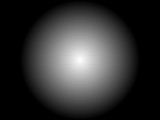 The above code first instantiates a new Geometry encompasing a Quad. Following this we create a new Material using the Circle.j3md shader. As you can see the simplest form of circle only needs to have the Color property set. With just that one property we create a circle that encompases the whole quad with the set color and an alpha value that fades from the center to the edge of the circle.
Next let's enlarge the center by adding an offset.
mat.setFloat("Offset", 0.5f);
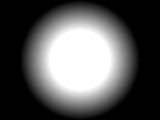 The Offset property defines the scale of the circle's center as a percentage of the circle's radius from 0.0-1.0 with a default value of 0.0.
Let's make this circle slightly more interesting by adding another color.
mat.setColor("Color2", ColorRGBA.Blue);
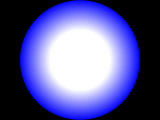 Okay, now the circle fade from the center color to Color2, but it's fully opaque. A circle will automatically fade from the supplied color's alpha value to 0 from the center to the edge of the radius when only one color is used, but when more than one color is used you must set the alpha value yourself with the supplied color.
mat.setColor("Color2", new ColorRGBA(0, 0, 1, 0));
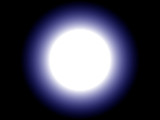 As a side note if you want a fully opaque circle with just one color you can set the Offset property to 1.0.
You should now have a basic understanding of the circle shader. Be sure to continue on to the Advanced page for more.
Designed by Adam T. Ryder
